
Ryobi Ink Key Repairs
On a Ryobi printing press, ink keys sit across each ink fountain and set how much ink is metered onto the rollers. Each key is a compact electromechanical unit: a small motor and gearbox drive the aperture, a potentiometer reports position, and an onboard control board talks to the press over a shared serial link.

A Ryobi ink-key motor assembly — geared motor, drive train and position feedback in a compact aluminium frame.
When those keys start behaving badly, colour control becomes unreliable. Operators end up chasing keys by hand, rerunning commands, and losing time on every job. This was one of those jobs — intermittent, cascading and hard to pin on a single failed part.
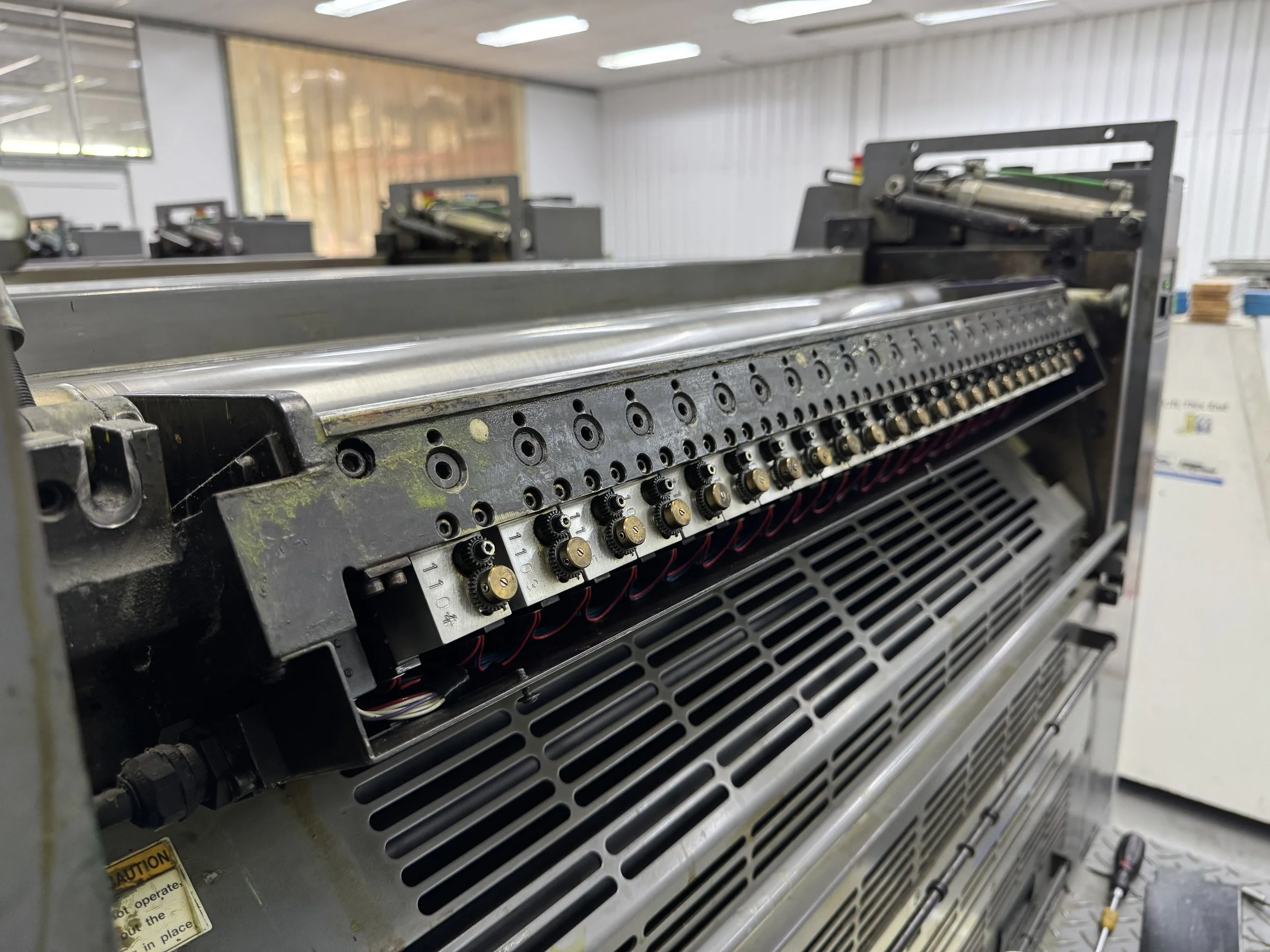
Ink keys lined up across a fountain on the press — each unit drives its own aperture and reports position back to the console.
What the press was seeing
The symptoms didn’t point neatly at one component:
Keys would error after moving only a short distance
Keys downstream of a bad unit would refuse to move
Commands often had to be sent more than once before anything happened
Behaviour changed with tower, slot and how many keys were driven together
The console reported ink-fountain communication errors even when the cabling looked fine
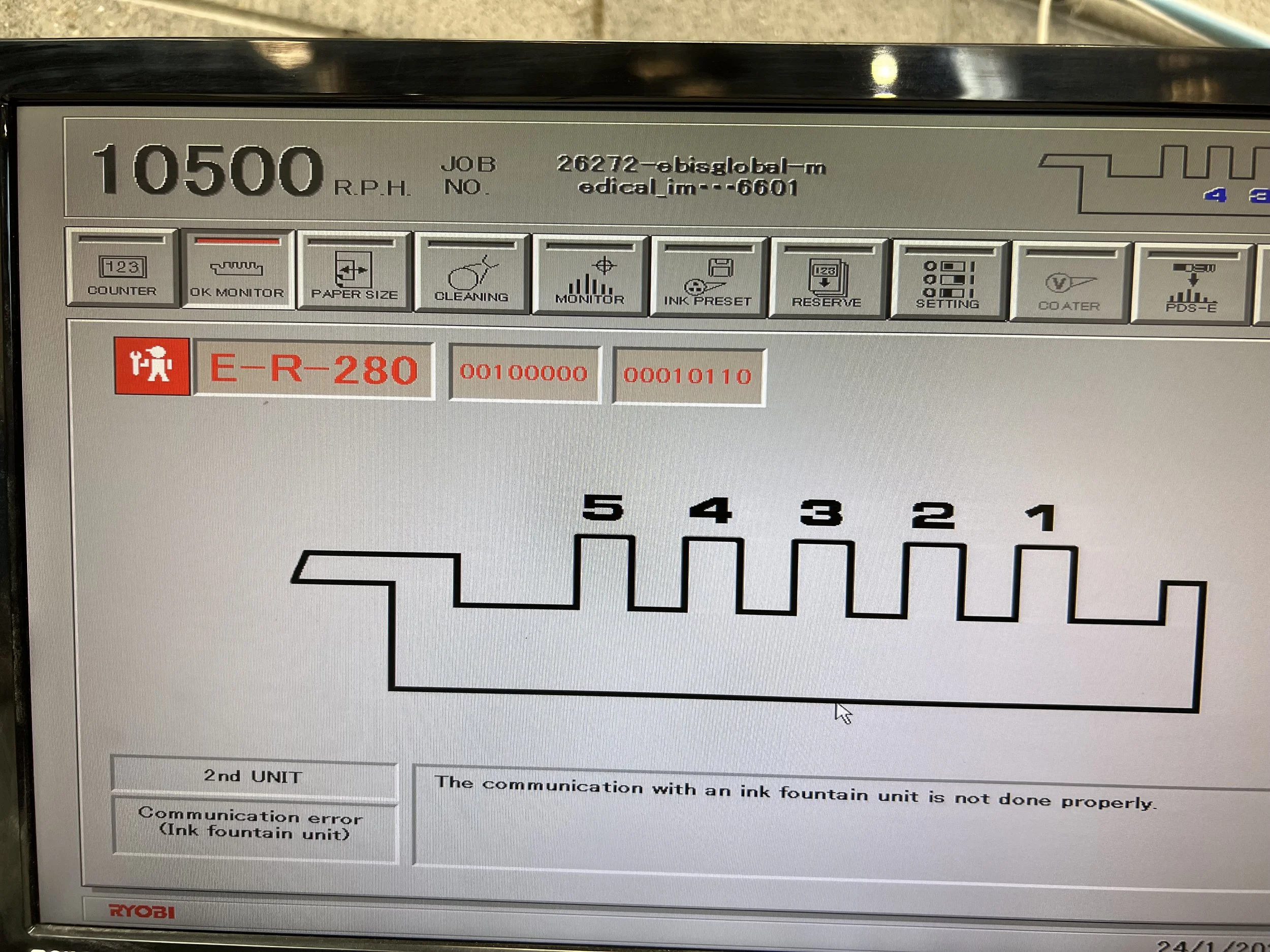
Typical press-side symptom — an ink fountain communication fault on the operator console.
On this machine a tower carries a long daisy-chain of keys (around two dozen per fountain). Every key has to initialise and answer. If one unit drops out of the conversation — or reports nonsense — the whole string can look broken.
Mechanical faults that were real
Before blaming electronics, we had to clear the mechanical side. Several failures were genuine and needed proper workshop repair:
Motors
Some motors were slow, noisy or seized. Direct 12 V bench tests showed units drawing too much current or taking far longer than a healthy key for a full-range move. Worn motors were replaced and assemblies cleaned and lubricated.
Gearboxes and drive train
Gear wear, cracked plastic, dried ink and sticky fountain slots all added load. Keys that looked “electronic” on the press sometimes ran cleanly once removed from a gummed slot — and keys that worked alone could trip when neighbouring keys added friction.
Installation and alignment
Reseating a key in its slot, clearing ink build-up and checking that the mechanism was free were part of every onsite pass. Mechanical load and electronic misbehaviour were easy to confuse.
Those repairs mattered. They were not the whole story.
Potentiometer and position feedback
Each key reports aperture position from a multi-turn potentiometer. Worn or noisy pots produce jumps, flat spots or disagreement between the voltage on the pot and what the press thinks the key is doing.
We saw:
Feedback that jumped part-way through a move
Keys that sounded laboured while the pot still tracked
Units where replacing a suspect pot improved the chart — and others where the pot looked fine on the scope but the key still tripped
Bench logging of position over a full travel became a standard test. A healthy key steps smoothly through the range in a predictable time. Slow travel pointed at the motor. Sudden jumps pointed at the pot. Flat sections in the reported position — while the key was still physically moving — pointed somewhere else.
Communications: decoding the daisy chain
The press talks to the keys over a high-speed serial link through a fountain relay board. Early captures looked like noise: framing errors, parity glitches and packets that only made sense once motors were running and the harness was loaded with interference.
To get past guesswork we:
Captured request/response traffic on the machine with a logic analyser
Worked out addressing, checksums, initialise / status / move / reset commands
Built a workshop controller so we could drive single keys or a full string without the press
Logged position and status while keys moved, tripped and recovered
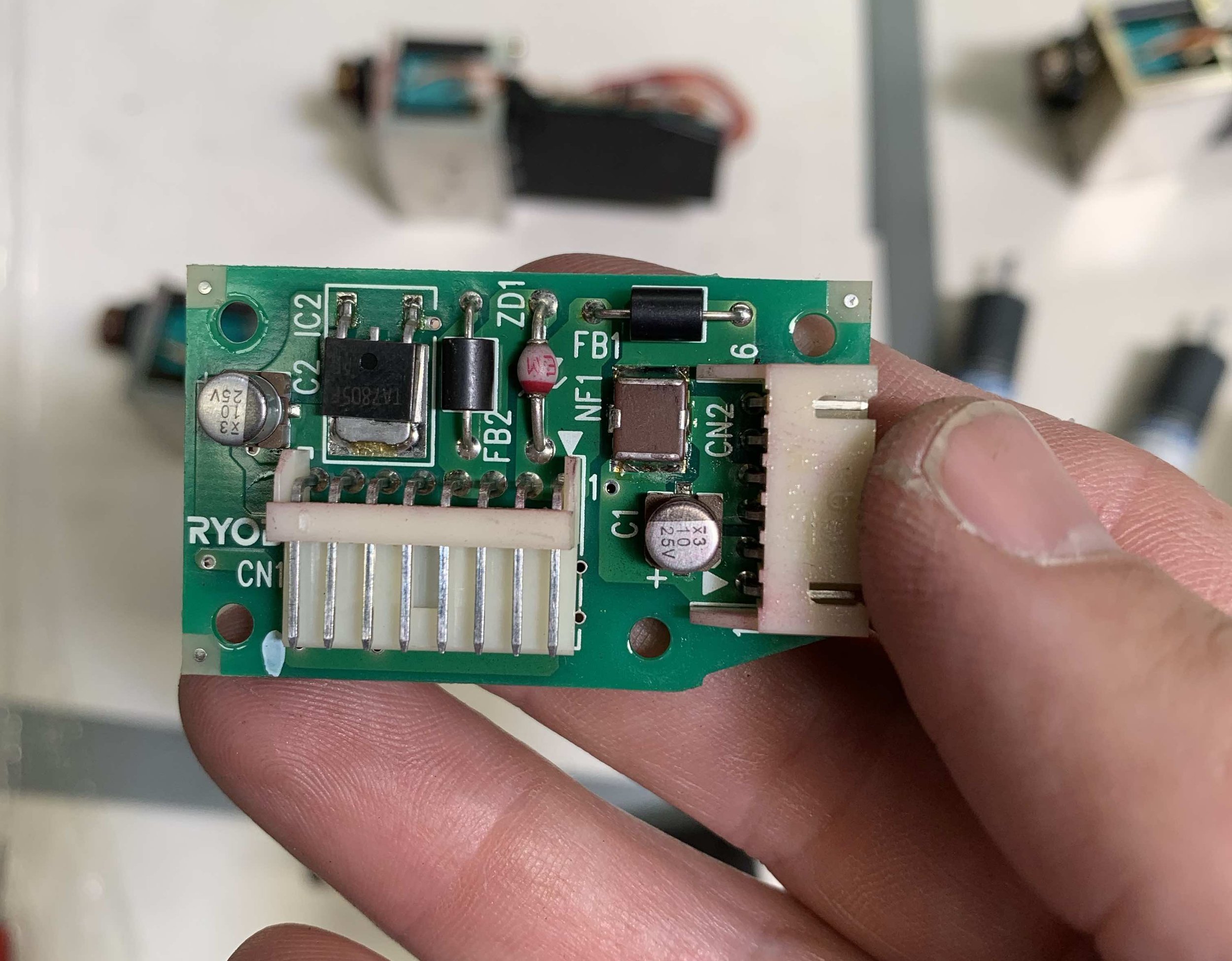
Ink fountain control board from an individual key — local microcontroller, motor drive and serial interface.
That test rig mattered. On the press, everything happens at once. On the bench we could ask one key to move, watch its status bits, compare the analogue pot voltage with the digital position the key was reporting, and reset faults deliberately.
We also learned how sensitive the string is. Extra noise appeared when more keys were on the return path. Some units that were “fine in a crowd” failed almost every time when driven alone. That pattern is easy to misread as a press or cabling fault if you only ever test on the machine.
The fault that didn’t look like a fault
After motors, pots, gearboxes and harnesses had been worked through, a stubborn class of trips remained.
The press (and our bench controller) expect the key’s reported position to change while the motor is driving. If the reported value sits still for several status polls in a row, the key is treated as stuck. It latches a movement fault, stops accepting useful move commands until reset, and can upset the rest of the fountain.
On the worst units we saw exactly that — with a twist:
The potentiometer voltage kept changing as the motor drove
The analogue signal into the microcontroller was still moving
The digital position the key reported froze on the same A-to-D reading, repeated again and again
After a short run of identical values, the key faulted — exactly as if it had jammed mechanically
So the console was not inventing errors. The key really was telling the controller “I’m not moving,” even though the mechanism and the pot were. The microcontroller on that individual ink key was failing to convert a live analogue feedback signal into updating digital readings.
That is a nasty failure mode. It masquerades as:
a sticky fountain
a weak motor
a bad potentiometer
a communications dropout
…and it only showed clearly once we could put scope, serial decode and controlled moves on the same key at the same time.
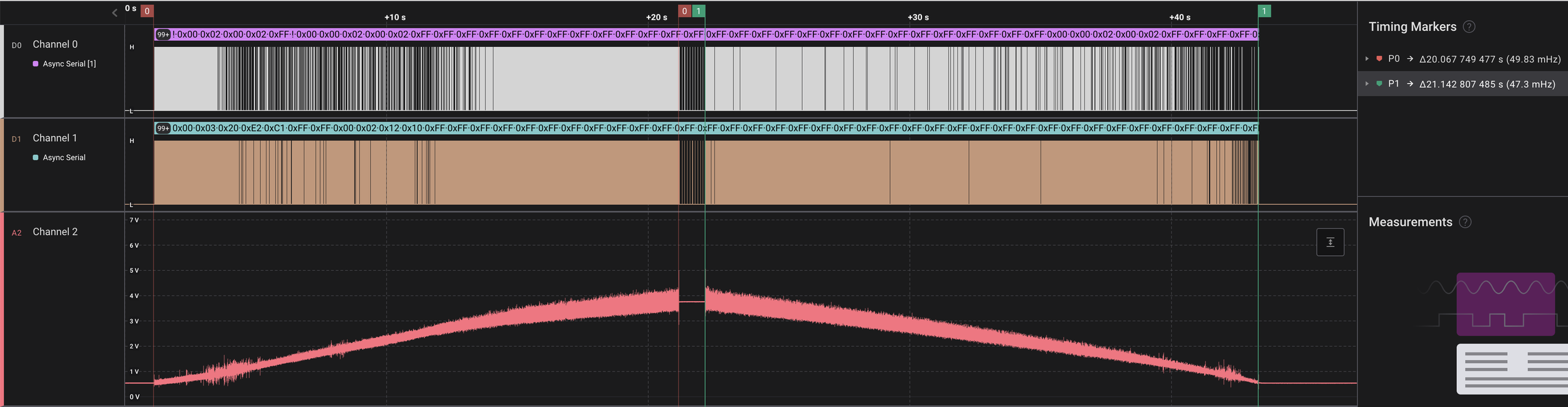
Bench capture while exercising a key — serial traffic on the top channels, analogue pot feedback below. Comparing those traces is how the frozen digital readings stood out. Traces from a Saleae Logic Analyser
Bringing a tower back
Once we could separate mechanical wear from this microcontroller feedback failure, repair and prove-out became systematic:
Workshop strip, clean and mechanical repair where motors or gearboxes were worn
Potentiometer replacement where feedback charts showed jumps or dead spots
Electronics refurbishment on boards that froze their A-to-D readings under load
Full-range move tests on our controller, singly and in a string, before keys went back to the press
Onsite swap into a tower, then prove small moves, larger moves and direction changes under real ink load
Refurbished keys that had been unreliable alone became usable in the fountain again. Remaining trips at high aperture were then much easier to treat as the mechanical issues they usually were — gummed slots, worn motors, alignment — instead of another mystery electronics chase.
Why this kind of job suits component-level work
Ink keys sit at the awkward intersection of mechanics, analogue feedback and multi-drop serial control. A press error message rarely names the real culprit. Replacing whole towers is expensive. Swapping boards without a way to prove them just moves the intermittent fault around.
What made progress here was the same approach we use on other awkward industrial electronics:
Recreate the system’s behaviour off the machine where you can instrument it
Clear the obvious mechanical and sensor failures first
Treat communications as something you can decode, not just “noise on the line”
Keep going when the symptom still looks mechanical but the measurements say the processor has stopped updating
If your Ryobi (or similar) press is throwing ink-fountain communication faults, keys that trip after a short move, or towers that only behave when half the keys have been shuffled around — we can diagnose and repair at component level, and prove the units before they go back into production.